A production-ready, white-label foundation starter kit for creating workflow products on top of the tldraw SDK. Designed to help developers create and ship their own workflow builder application almost instantly based on the tldraw infinite canvas application.
It’s now one of the most reviewed and cloned repositories in the tldraw ecosystem — and it helped reopen conversations with clients who had previously chosen other workflow solutions.
Designed a production-ready workflow builder on top of the tldraw SDK.
Defined the interaction model, visual system, and micro-interactions that make workflows feel intuitive and alive.
Abstracted the essence of a workflow product into an opinionated, white-label foundation ready for teams to build on.
Built gestures that teach by doing — click-to-create, drag-to-connect, play to execute.
Collaborated closely with engineering to ensure a seamless bridge between design and implementation..
Focused on clarity, intention, and instant feedback — turning complex builder mechanics into simple, discoverable actions.
Designed a production-ready workflow builder on top of the tldraw SDK.
Defined the interaction model, visual system, and micro-interactions that make workflows feel intuitive and alive.
Abstracted the essence of a workflow product into an opinionated, white-label foundation ready for teams to build on.
Built gestures that teach by doing — click-to-create, drag-to-connect, play to execute.
Collaborated closely with engineering to ensure a seamless bridge between design and implementation..
Focused on clarity, intention, and instant feedback — turning complex builder mechanics into simple, discoverable actions.
Overview
My role as Product Designer focused on defining the interaction model, visual system, and micro-interactions that make the experience intuitive and alive. I led the end-to-end design process: from competitor analysis and early explorations to final handoff, and worked closely with a Senior Product Engineer, iterating asynchronously — sketching, prototyping, refining — and aligning our design language with how the SDK behaves under the hood.
Interaction design
Designing the invisible layer
The secret of the success of this project
If you feel you don’t have enough time to review this case, this is the only section you need to read to get a sense of the job done.
The hardest design effort of this project wasn’t drawing boxes or flows — it was designing what wouldn’t be seen. The invisible layer: the interaction design between the parts. Every gesture had to feel obvious — like something you’d try even if no one told you how.
All these interactions are small, but together they form the mental model of the product. You don’t read about how it works — you discover it.
We narrowed it down to five core interactions:
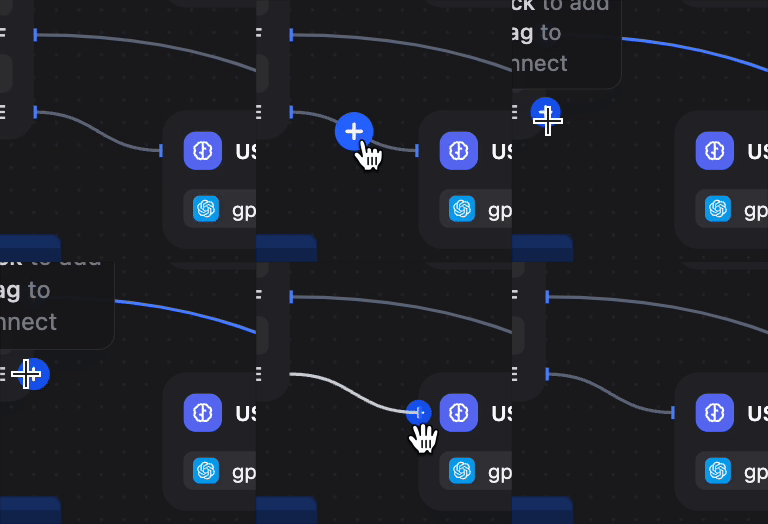
1. Click-to-create
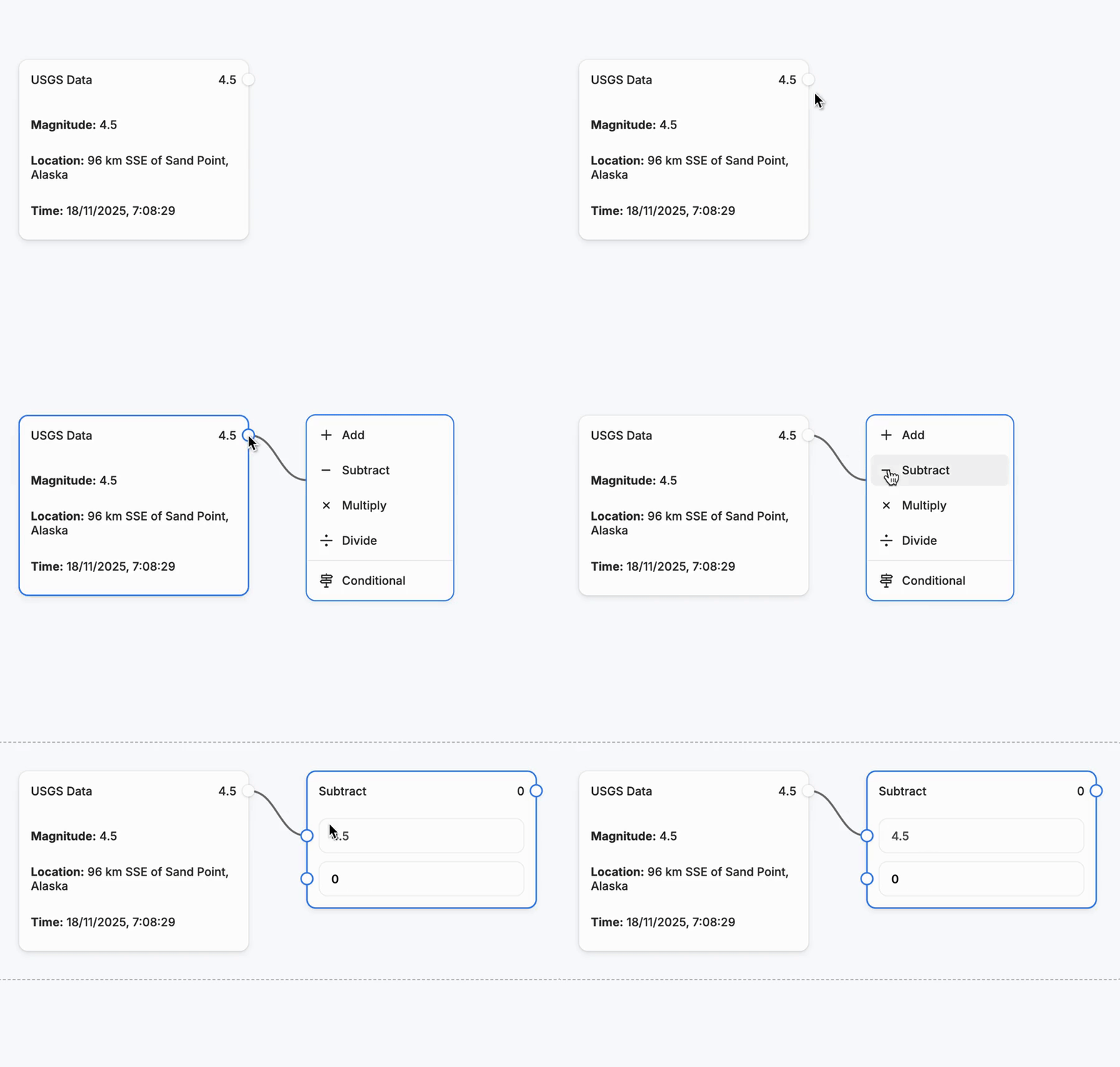
From any port, click → new node selector appears, already connected.
2. Drag-to-create
From any port, click, drag and drop → new node selector appears, already connected.
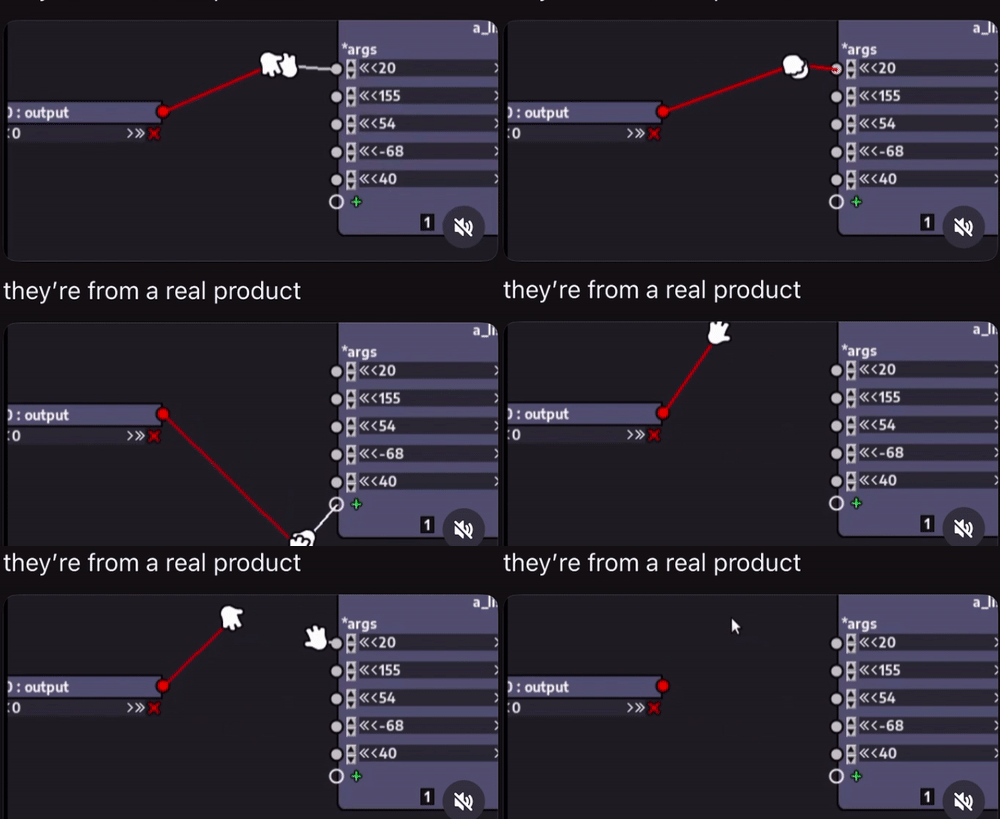
3. Drag-to-connect
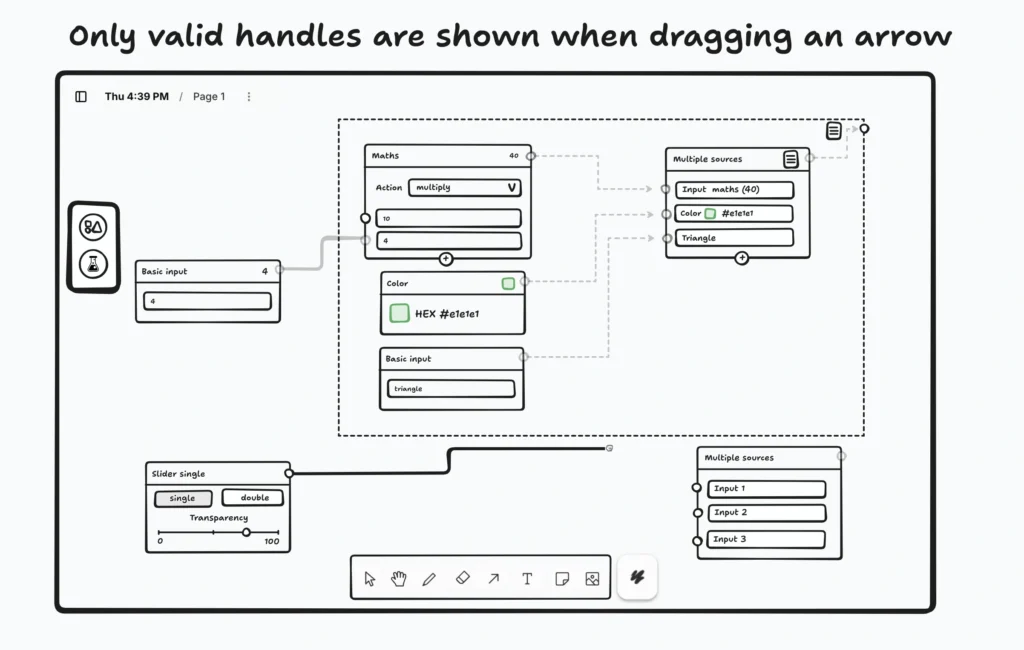
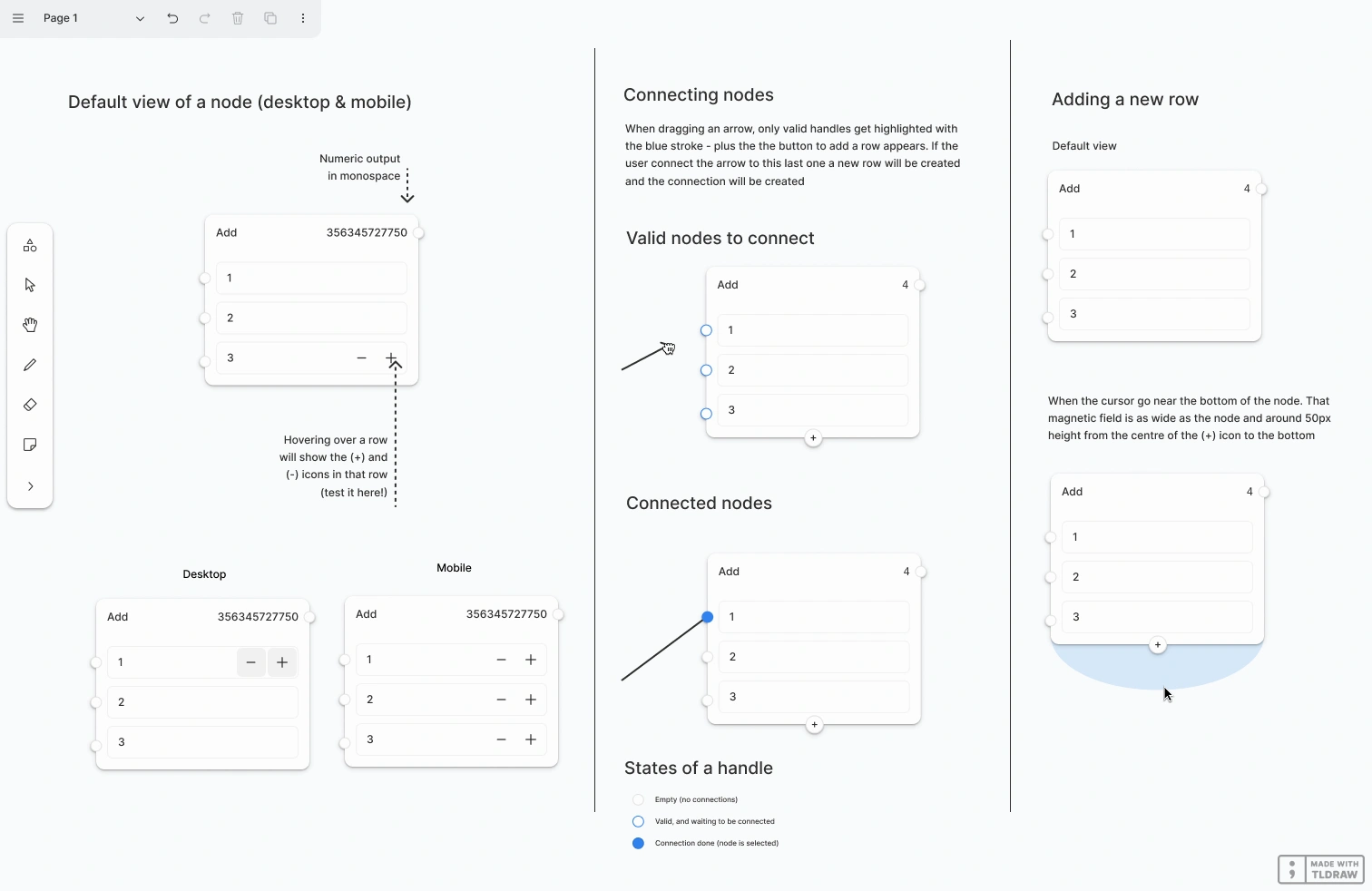
While dragging, valid ports subtly highlight before you release. Invalid ports are not accesible.
4. Hot insertion
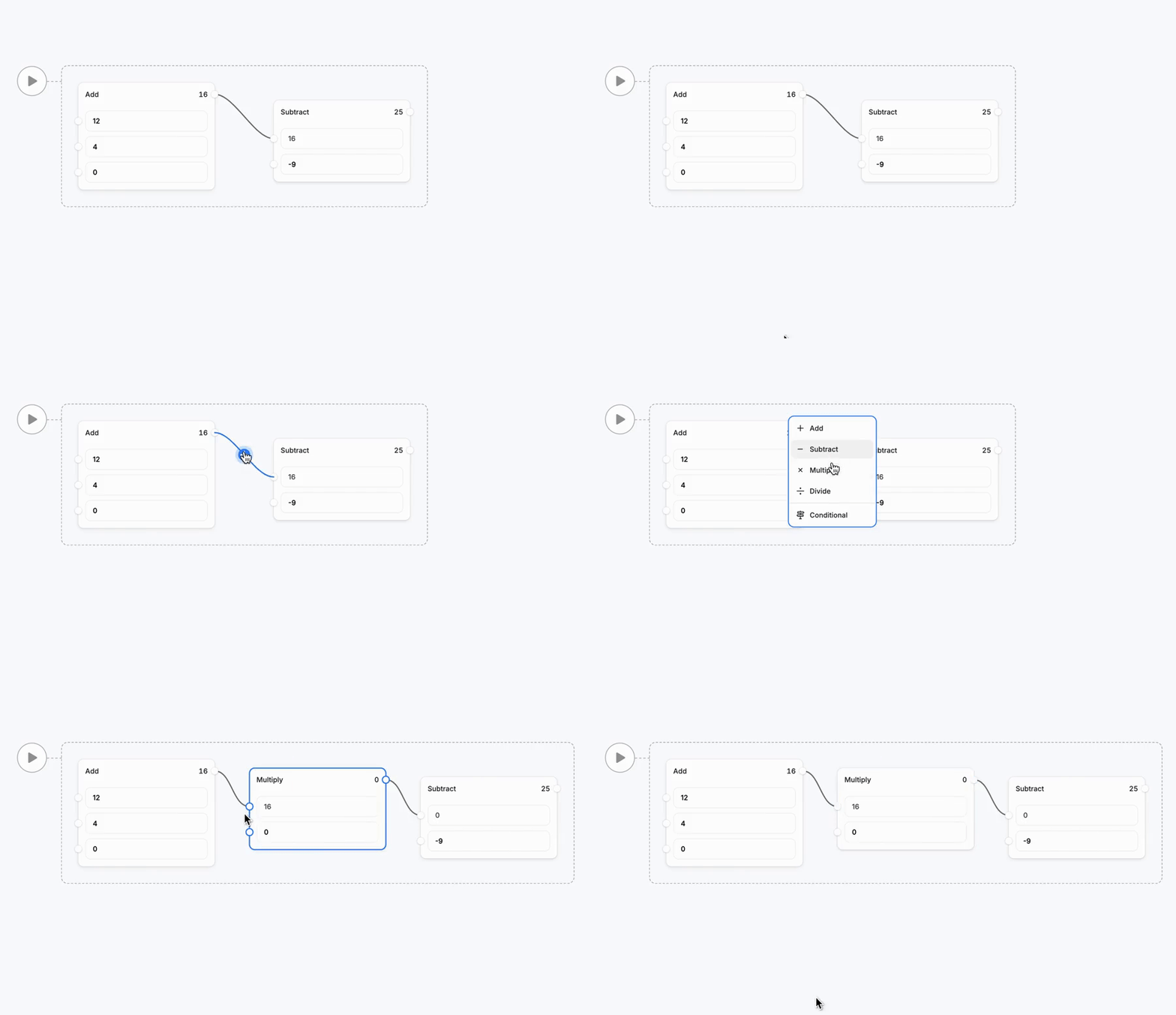
Click between connected nodes, select a new node, and the flow reconfigures instantly.
5. Executable frame
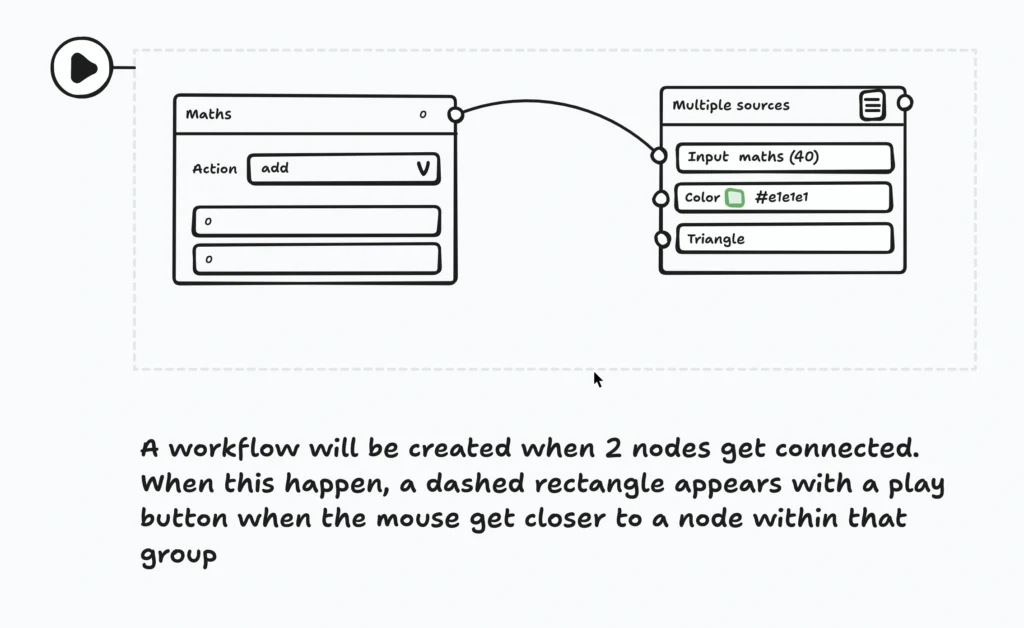
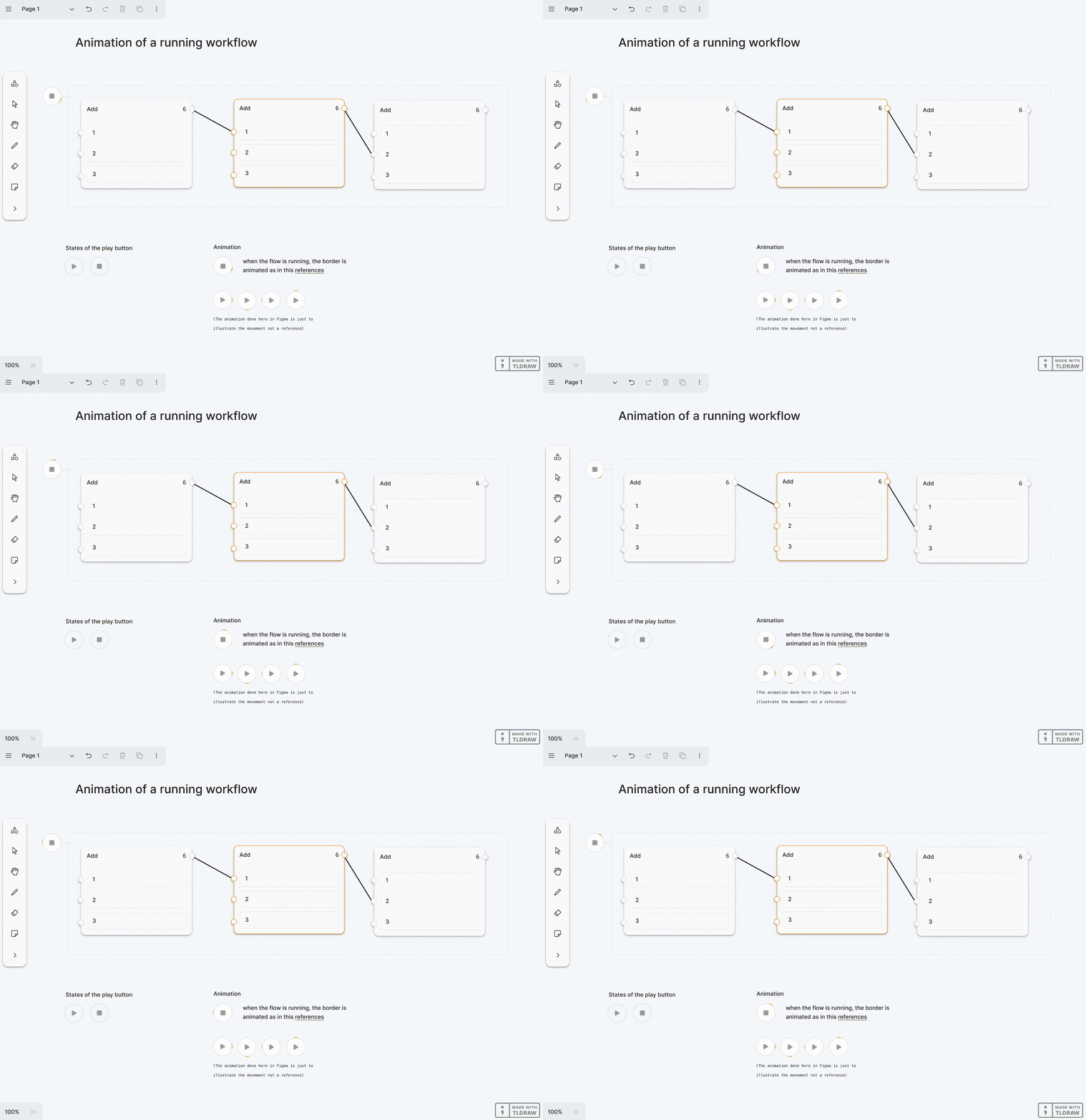
Once at least 2 nodes get connected, a “Play” frame appears, turning the graph into an executable workflow. A subtle flow animation hints at how data travels between nodes.
Why a workflow starter kit?
A business need
When you build tools that help other people build tools, the hardest decision is choosing where their journey should begin. And during discovery interviews, we kept hearing the same message:
“We love the SDK, but we need something closer to a real workflow product. Otherwise… we’ll just use React Flow.”
That sentence hit hard.
Teams, especially developers, needed a starting point at tldraw that already felt functional: something they could pitch internally, something that proved the value of building workflows on top of tldraw instead of the competition.
Without a ready-to-use workflow foundation, choosing the tldraw SDK became a harder sell.
That’s why the Workflow Starter Kit was created: a production-ready, opinionated foundation that demonstrates real workflow value out of the box and unlocks new commercial opportunities for tldraw and moves the product into a new vertical.
The big initial question: What is the MVP of a workflow application?
From day one, the goal wasn’t to build a shining demo — it was to build a reference product for those building workflow products: the OG workflow experience developers should expect to find in the wild.
Something that behaves like a finished workflow builder, yet remains abstract enough to be shaped into any use case.
We were looking for the answer to the big question:
“When you strip away everything non-essential… what remains that still makes this a workflow app?”
Our challenge:
abstracting the essence of a workflow product — the gestures, the feedback, the visual flow — and turning it into a foundation kit others could use.
Research & insights
We started with a competitor analysis, studying other workflow builders — Zapier, n8n, React Flow, florafauna.ai, workflowbuiler,io, Datastax Astra, Comfy, Bardeen.ai, Relay.app, Flowsage… and extracting features and distilling the different user’s goals and design decisions.
We identified four main user goals: design, connect, configure and execute the workflow. A bunch of features are included in each of these big four allowing users to customise their flows in different ways.
Design the flow
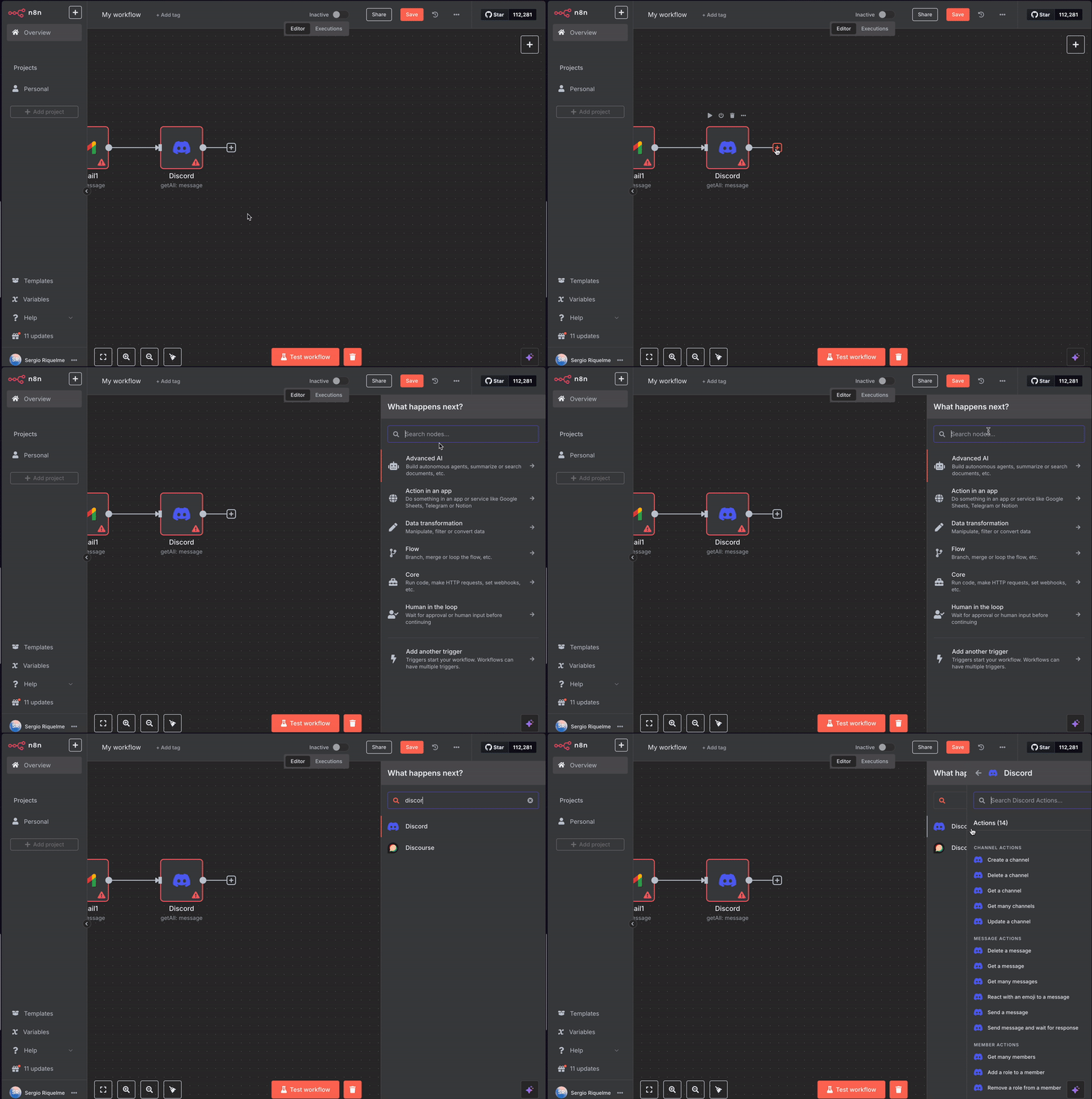
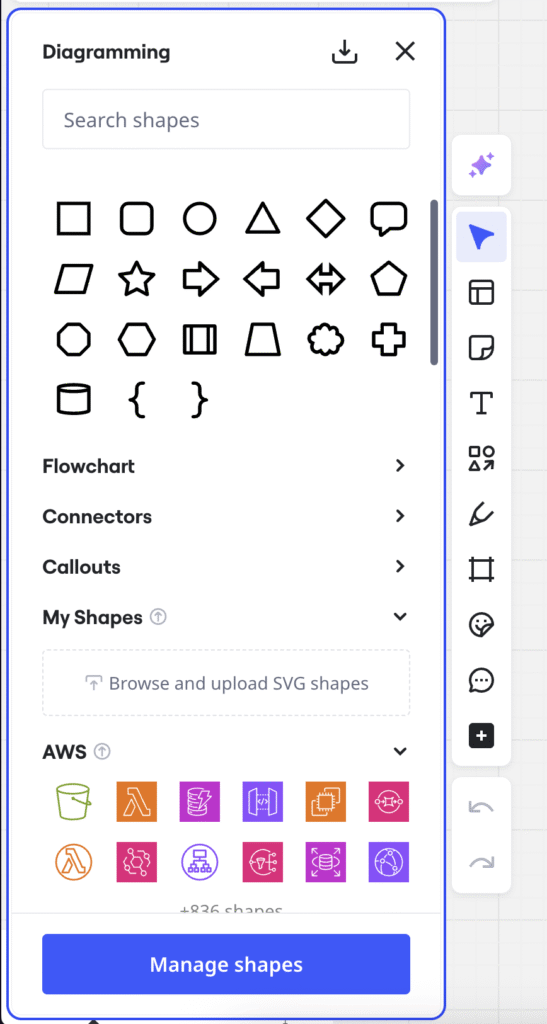
Actions where the user tries to add nodes to the canvas and manipulate it with a specific mission in mind: Creating nodes from a connector, dragging pre-made nodes or fully functional workflow templates from a library into the canvas.
n8n
florafauna
Miro
workflowbuilder.io
florafauna
Other identified features for the design phase are:
Getting help from an AI assistant to choose and connect the right nodes.
Creating custom code nodes
Saving custom nodes into the saved library
Saving workflows into the template repository
Snapping nodes to the grid to help to organise the flow visual
Connect nodes in the flow
Action where the user tries to connect nodes by dragging arrows from the port of a node to another.
Datastax Astra
Nodezator
Comfy
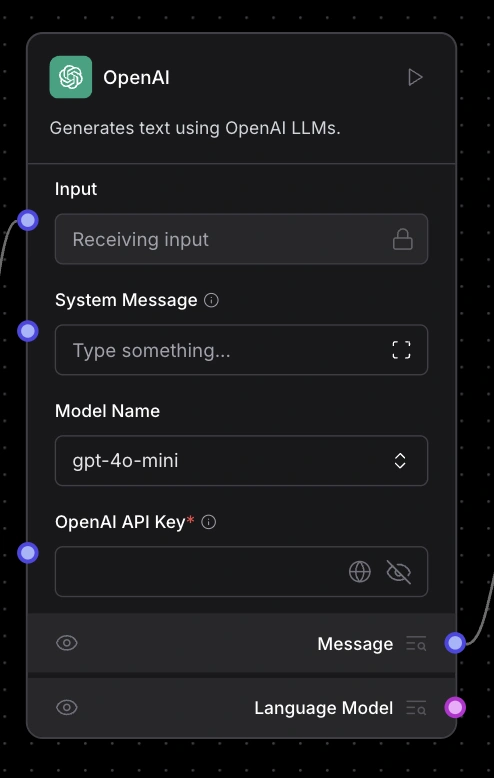
Configure nodes
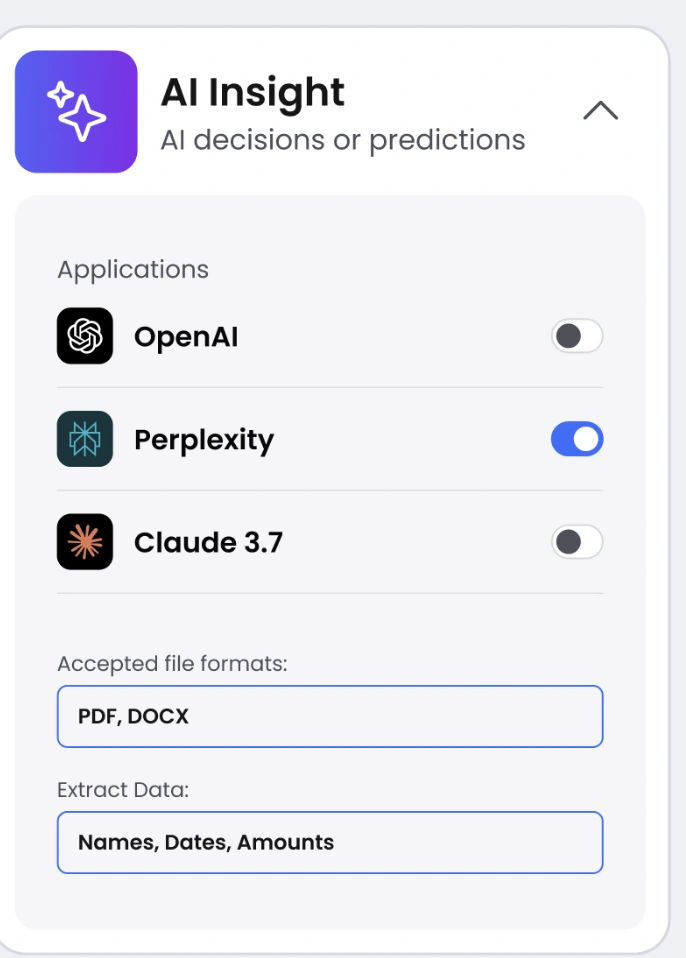
Actions where the user sets variables in the inspector of a node, provide extra information, rules or pull data from external sources or incorporate LLMs to process data.
Datastax Astra
Workflowbuiler.io
Florafuna
Other identified features for the configure phase are:
Connecting the node to API / MCP server, asking for APIKEY
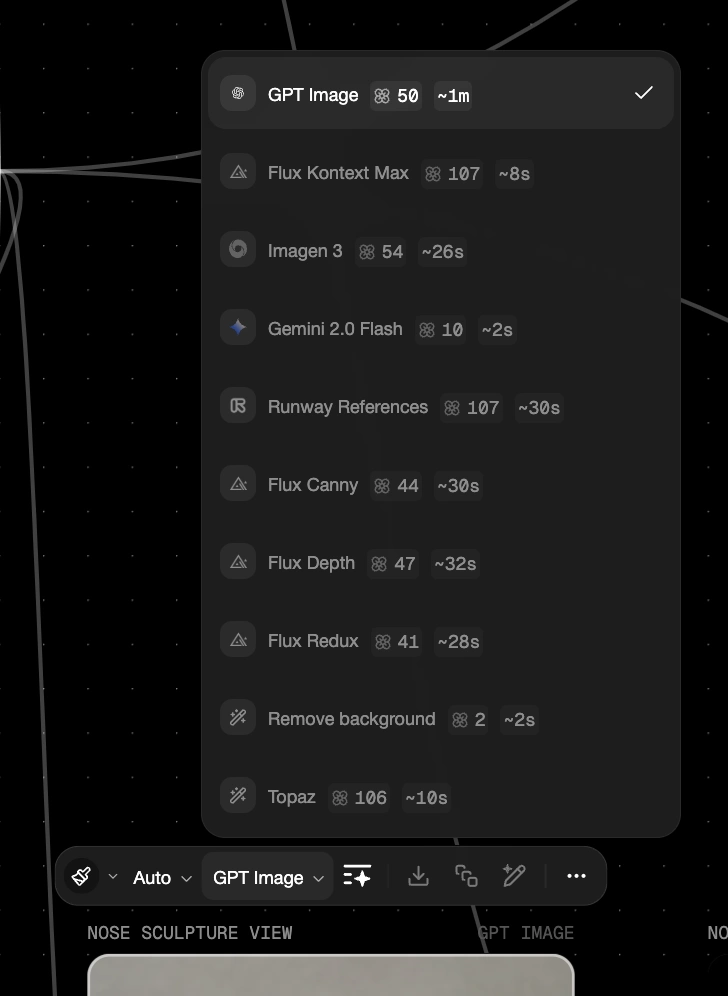
Selecting the LLM to use.
Execute the flow
Action where the user runs the workflow and receive feedback and outputs while data moves from node to node.
tldraw computer
n8n
React Flow
This is happening by running the flow, setting timers or triggers, autoplays or refreshing data from specific node back or forwards. The system return as feedback a visualisation on how the data is moving forward.
Learnings so far
Each workflow app had something worth learning from, but also a long list of things we wanted to avoid: cluttered UIs, over-built menus, tooltips everywhere, and step-by-step tutorials trying to compensate for flows that were simply too complex. Many of them narrowed the use case so much that the product stopped feeling flexible.
We wanted the opposite — a generic, intuitive system that teaches itself through interaction. A builder where a simple click, drag, or connection already reveals its logic. No onboarding, no manuals. Just interaction as explanation.
From this process, we distilled four principles:
Teach through action. The gesture is the tutorial.
Follow intention. Guess what the user means and do that.
Clarity over complexity. Every decision removes noise.
Visual feedback in place. Show the result where it happens.
Explorations
How these ideas would fit in the tldraw SDK?
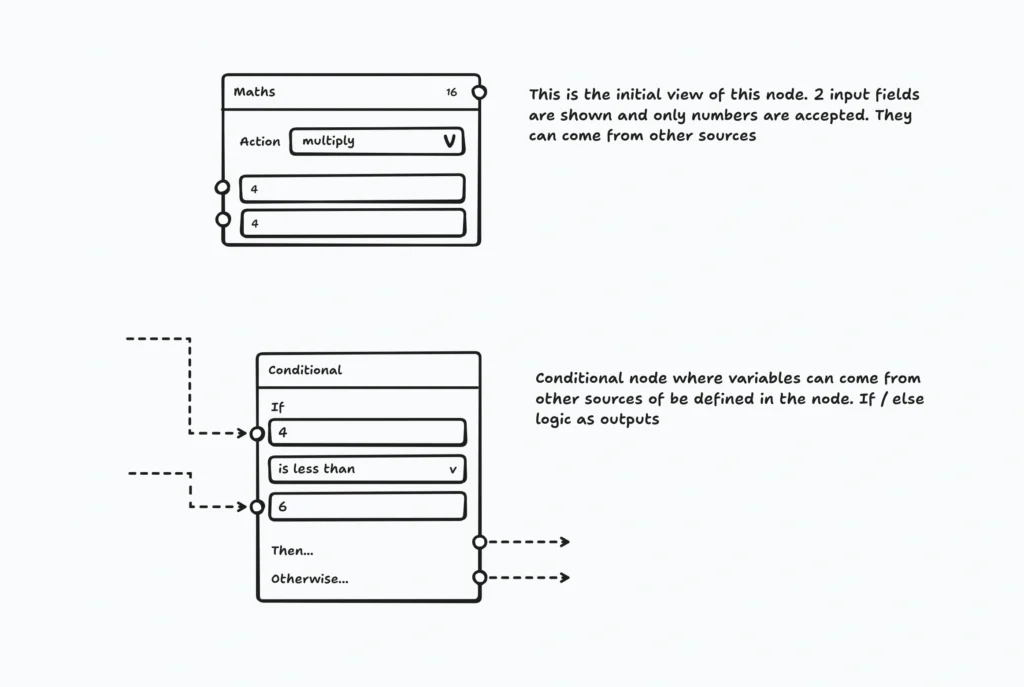
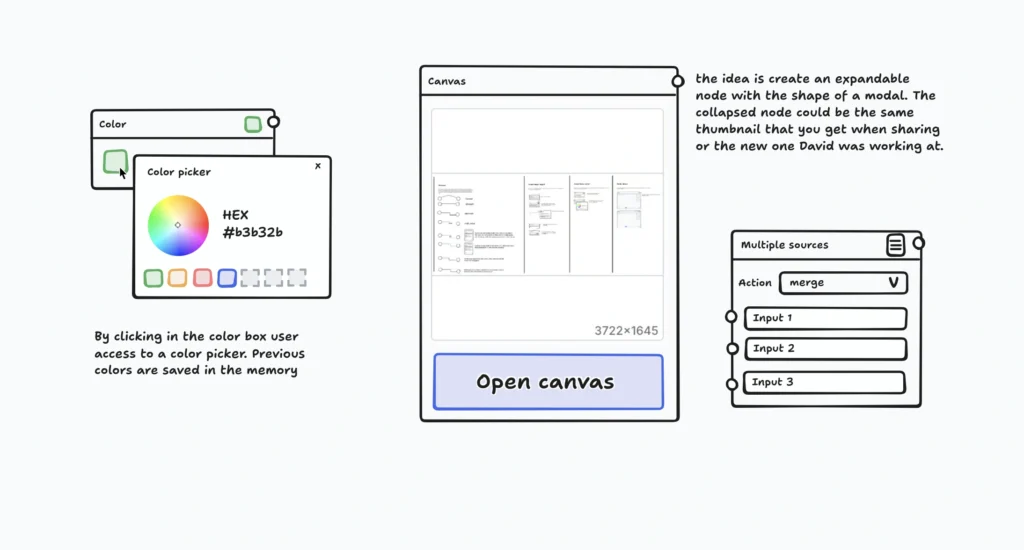
How should a node be?
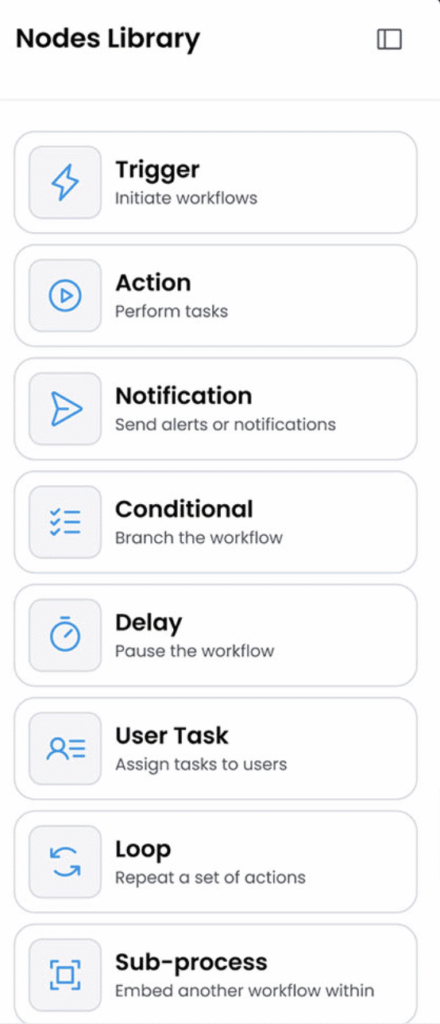
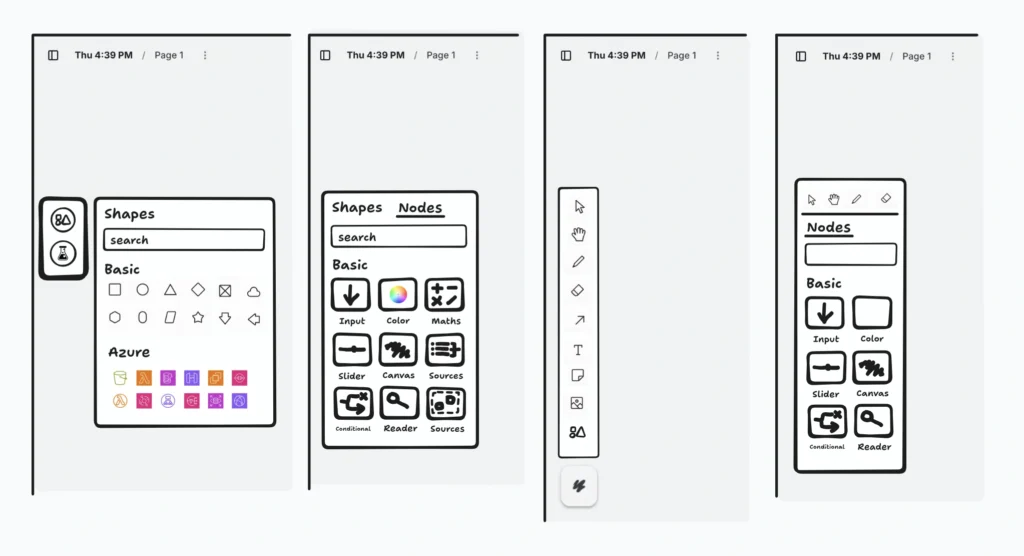
I started by mapping out how every piece of the interface should behave — the nodes, the ports, the arrows, and the trays where users grab the building blocks of their workflow.
At the same time, the engineer was bringing the technical side to life, building the code skeleton and the execution layer behind it. We met often in short, focused syncs, exchanging feedback and keeping design and engineering perfectly aligned as the product took shape.
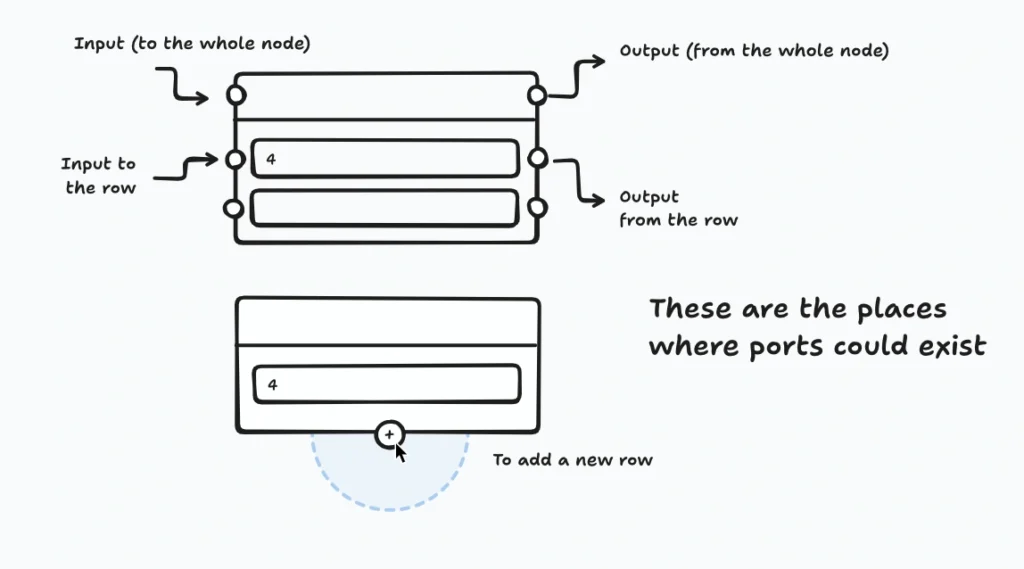
Structure of a node
Ports in a node
Port reactivity
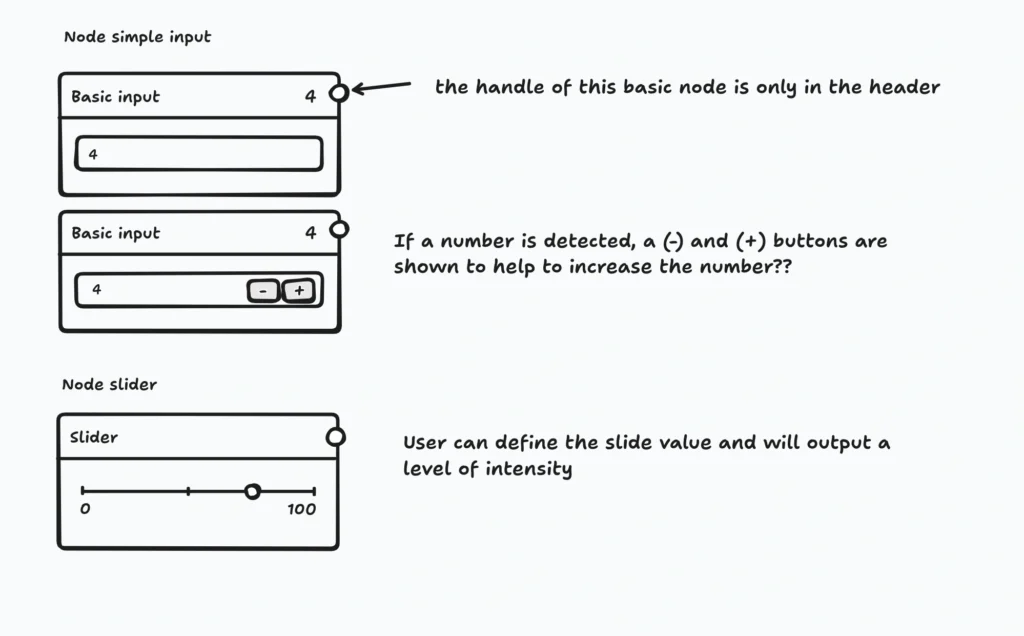
Simple nodes
Complex nodes
Discarded nodes
Too complex for the first iteration but nice to think about them.
Tray of nodes
Interaction Design
Drag-to-create
Dragging an arrow from a port create a connected node
Workflow creation (play button)
How a "Play" frame is created
Silos – Groups of nodes
Concept of "Silos" to group parts of a workflow, later discarded
This was an iterative process that took us around 2 weeks. We experimented with lo-fi wireframes and prototyping to feel «the real thing» and discussed which options fit better in the design principles of this project descoping when required and creating a set of features that will pass the first cut and will move to hi-fi.
Prototyping the whole thingy
Early on, we went too far. We built a fully featured workflow product with complex data nodes, LLM integration, triggers, and dense feedback. It was far beyond what this first iteration actually needed.
But that exploration was essential. It helped us understand the real boundaries of the kit and strip the experience back to its core: connection, creation, and execution.
One of the biggest debates was around validation feedback.
Should the builder highlight all compatible ports, how would be that hint by color, shape, transparency, animation?
It seemed like a small detail, but it determined whether the interface felt smart or noisy.
After prototyping multiple options and discuss about them, we learned that less guidance felt more intelligent — subtle hints worked better than maximalist solutions.
Once we had clarity and confidence in the direction, we moved to high-fidelity. With a solid design system already in place, this phase was fast, and within a few days we were testing functional options.
Moving forward into hifi very quickly
OUTCOME
The Workflow Starter Kit became a reference inside and outside tldraw.
Warm welcoming
It’s now one of the most reviewed, cloned and adapted repositories in tldraw ecosystem, and it’s helped reopen conversations with teams that had previously chosen other frameworks.
What I learned
Prototype > opinion. When in doubt, build it and see it.
Design for intention. Follow the user’s impulse.
Opinionated ≠ rigid. Strong defaults create freedom, not limits.